Revopoint MIRACO 3D Scanner Review: Standalone Powerhouse for Pro Scanning

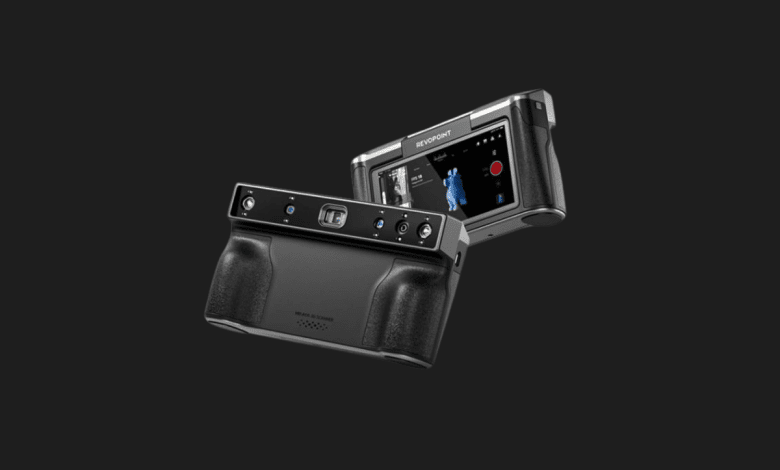

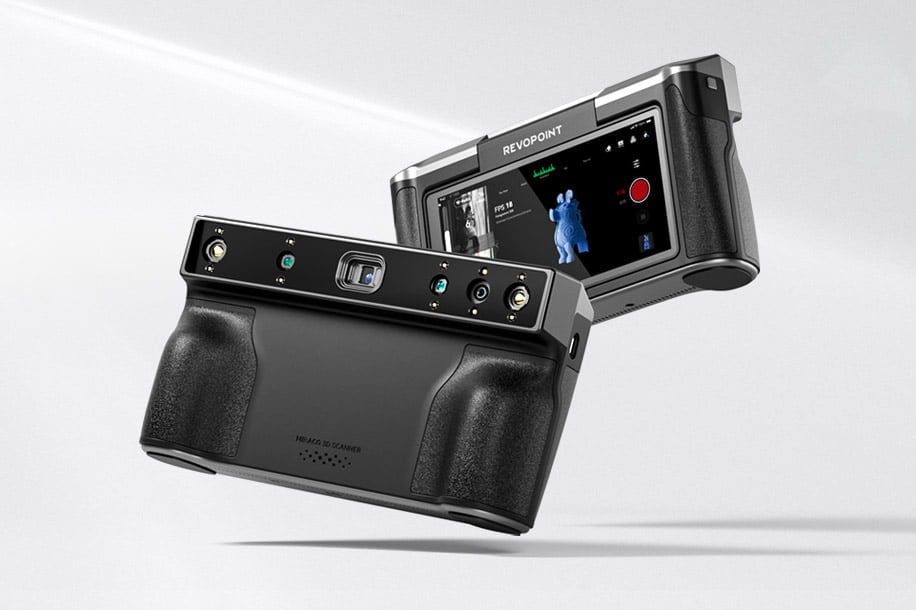
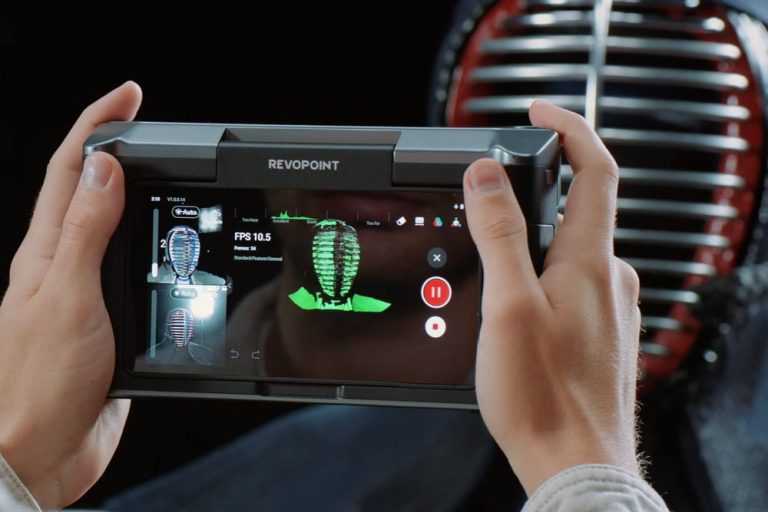
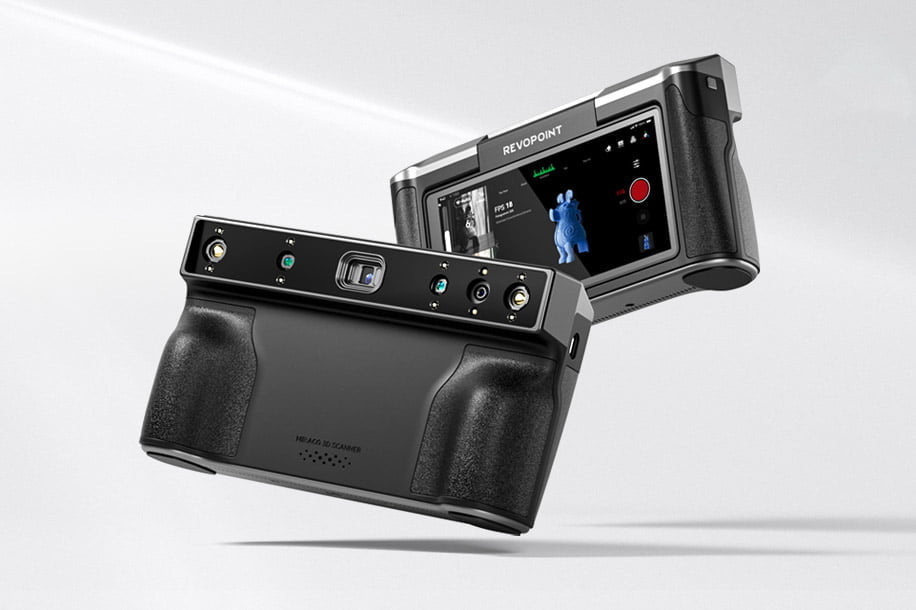
I’ve always loved 3D scanning, but I’ve always hated the “leash.” You know the one—the thick USB cable connecting your scanner to a laptop that you have to awkwardly balance on one arm while you circle a car engine or a statue. When I first held the Revopoint MIRACO, that frustration vanished. It is the first scanner I’ve used that feels like a complete, independent tool. It has its own processor, its own screen, and its own battery. It’s essentially the “smartphone” of the 3D scanning world, and it has fundamentally changed how I approach capturing the physical world.
Pros & Cons
- ✅ Complete Independence: No PC or smartphone connection required during the scan; the 6-inch AMOLED screen handles everything.
- ✅ Dual Scanning Modes: Switches seamlessly between “Near-mode” for tiny details and “Far-mode” for large objects.
- ✅ Incredible Memory: The 16GB (or 32GB Pro) RAM allows for massive point clouds without the device stuttering.
- ❌ Weight: At 750g, it’s significantly heavier than cable-based scanners and can cause wrist fatigue during long sessions.
- ❌ Fixed Screen: While the screen is brilliant, it doesn’t tilt, which can make scanning high or low angles a bit of a neck-strain.
- ❌ Price Point: It is a premium investment compared to entry-level scanners that rely on your existing PC power.
Technical Specifications
| Feature | Details |
|---|---|
| Accuracy | Up to 0.02 mm (Near-mode) |
| Screen | 6-inch AMOLED, 2K Resolution |
| Light Source | 940nm Class 1 Infrared Light |
| Battery Life | Up to 2 Hours (50W Fast Charge) |
| Internal Storage | 256 GB |
| Color Scan | 48-megapixel RGB Camera |
My Experience: The Joy of Untethered Precision
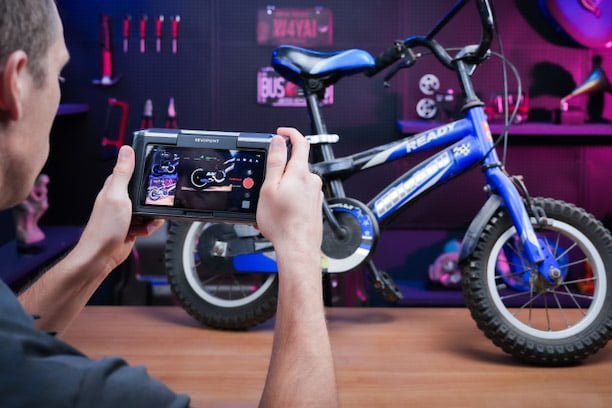
Testing the Revopoint MIRACO felt less like “tech work” and more like photography. The quad-depth camera system is the heart of this machine, and it’s remarkably versatile. I took it out to a local car meet to scan a vintage Porsche 911 fender. Normally, I’d be sweating over my laptop battery and tripping over cables. With the MIRACO, I just held it up, watched the real-time mesh form on the AMOLED screen, and finished the entire front quarter panel in under ten minutes. The infrared light is safe and surprisingly effective even in outdoor environments with indirect sunlight.
One of the standout features is the “Single-Frame” mode. If you’re scanning something with very complex geometry—like a lace-up boot or a mechanical part with deep recesses—standard continuous scanning can sometimes get “lost.” In Single-Frame mode, the MIRACO acts like a high-speed camera, taking precise depth snapshots that you can manually stitch together. This saved me a lot of headache when I was trying to digitize a textured stone sculpture that had too many “blind spots” for traditional tracking.
The 48-megapixel RGB camera also deserves a mention. Most 3D scanners treat color (texture) as an afterthought, resulting in blurry, muddy-looking models. The MIRACO captures textures that are sharp enough for high-end CGI work or AR applications. When I scanned an old leather bag, the final model didn’t just have the shape; it had the realistic cracks and color gradients of the aged leather. It’s the first time I’ve felt like I didn’t need to go back and “paint” the model in post-production.
I did notice that the device gets quite warm after about 30 minutes of continuous scanning. The internal fans do an okay job, but you can feel the heat through the back of the unit. Also, while 2 hours of battery life sounds short, it’s actually plenty for most individual projects. Plus, it supports 50W fast charging, so I was able to juice it back up to 80% during my lunch break. The onboard editing software is surprisingly robust, allowing you to “fuse” the point cloud into a mesh directly on the device, though for professional cleanup, I still preferred exporting the raw data to my main workstation.
Who is this for? / Alternatives
The Revopoint MIRACO is the “Goldilocks” choice for field archeologists, automotive designers, and independent prop makers. If your work takes you away from a desk and into the “real world,” the standalone nature of this device is worth every penny.

Alternatives:
- Shining 3D Einstar: Significantly cheaper but requires a powerful laptop and a wired connection to function.
- 3DMakerpro Seal: Much smaller and better for tiny objects (like jewelry), but lacks the “all-in-one” screen and processing power of the MIRACO.
Quick FAQ
Can I export files directly from the MIRACO?Yes! You can export STL, OBJ, and PLY files directly to a USB-C drive or transfer them via Wi-Fi 6 to your computer for further editing.
Is the MIRACO waterproof?No. While it feels rugged, it is a precision optical instrument. It should be kept away from water and excessive dust to protect the quad-depth cameras.
What is the difference between the MIRACO and MIRACO Pro?The Pro version doubles the RAM (32GB vs 16GB), allowing you to scan significantly larger objects with more frames before needing to process the data.
Revopoint MIRACO Review
Product Images

You Might Also Like;